There are also a number of graphical file-management interfaces available that support the SSH/SCP/SFTP protocols. A graphical interface can make it easier for new users to manage their data, as they provide a simple drag-and-drop interface that helps to visualise where data is being stored. The example below shows how to configure the WinSCP utility on a Windows client to allow data to be moved to and from a research environment.
- On a Windows client, download and install WinSCP
- Start WinSCP; in the login configuration box, enter the IP address of your login node in the
Host namebox - Enter the username you configured for your research environment in the
User namebox (e.g.flight) - Click on the
Advancedbox and navigate to theSSHsub-menu, and theAuthenticationitem - In the
Private key filebox, select your research environment access private key, and click theOKbox.
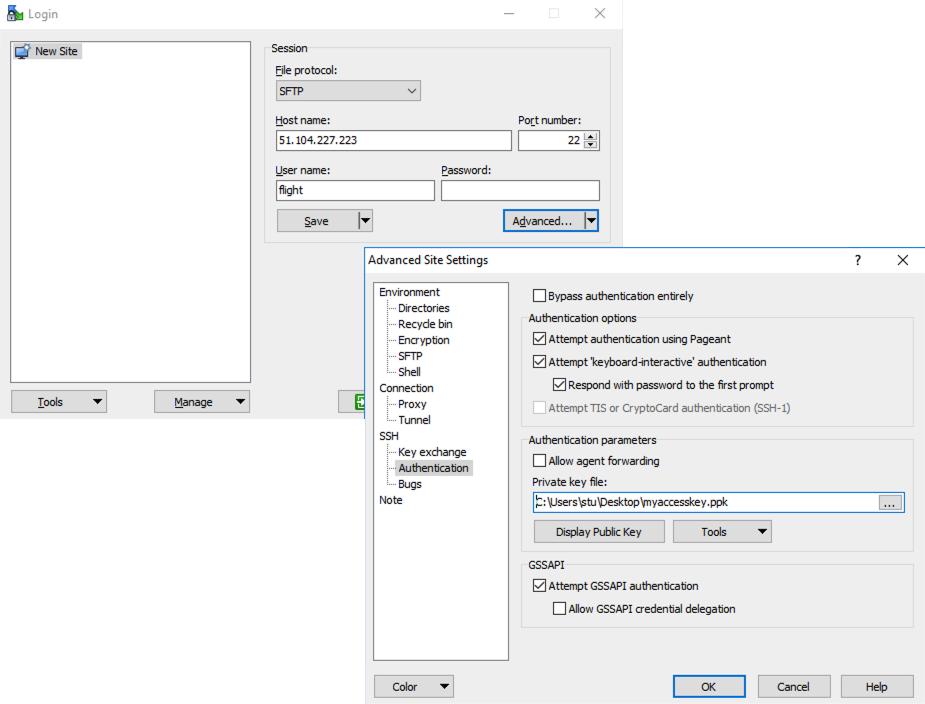
- Optionally click the
Savebutton and give this session a name - Click the
Loginbutton to connect to your research environment - Accept the warning about adding a new server key to your cache; this message is displayed only once when you first connect to the research environment
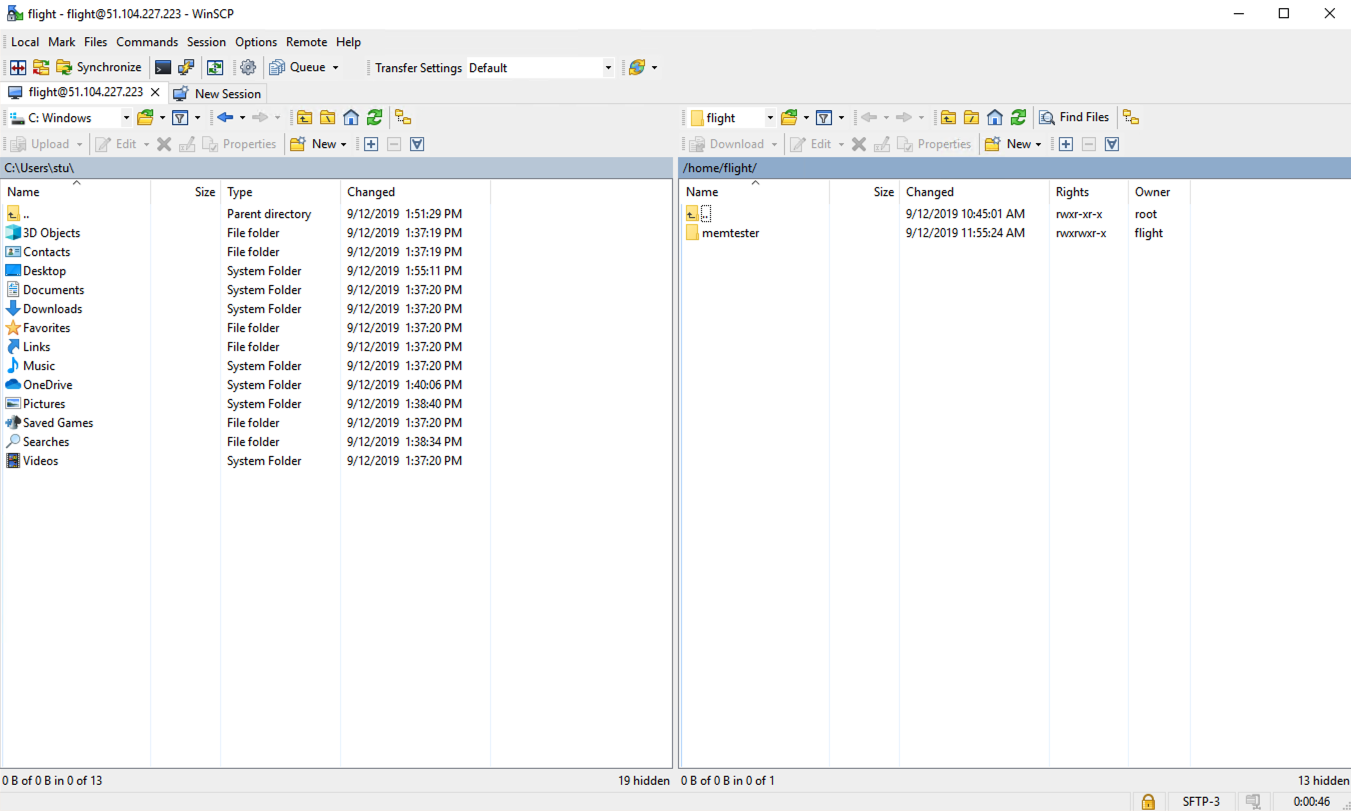
- WinSCP will login to your research environment; the window shows your local client machine on the left, and the research environment on the right
- To copy files to the research environment from your client, click and drag them from the left-hand window and drop them on the right-hand window
- To copy files from the research environment to your client, click and drag them from the right-hand window and drop them on the left-hand window
The amount of time taken to copy data to and from your research environment will depend on a number of factors, including:
- The size of the data being copied
- The speed of your Internet link to the research environment; if you are copying large amounts of data, try to connect using a wired connection rather than wireless
- The type and location of your research environment login node in relation to your client location